Hello beautiful peoples!

Setting up an e-mail relay can be a pain in the backside… so I wrote a script that will make this task a breeze. The design is very human… 😉🤣 (If you know – you know…) It will install and configure a postfix (it will overwrite your existing postfix config without asking any questions, but it will back up the old files first) on your Debian based Linux using GMail SMTP as a relay server.
BACKUP: Before changing anything, the script copies your existing Postfix files (main.cf, sasl_passwd, sasl_passwd.db, sender_canonical_maps, header_check and /etc/aliases) to /root/backup. Each file gets a timestamp in its name, for example main.cf.bak_2026-10-25_20-18-00. The folder is readable by root only, because sasl_passwd contains a password. To list your backups run:
sudo ls -l /root/backup
On a fresh system with no existing Postfix config there is nothing to back up, so the folder may stay empty. Every new run of the script creates new copies with a new timestamp and never deletes the old ones.
Steps to follow:
– Create a GMail account that will be used as a relay.
– Set up 2 factor authentication on the relay GMail account
– Set up and write down (copy) an App Password for GMail account
– Download the script:
wget -c https://files.andrzej.langow.ski/gmail_relay.sh
Use Your favourite text editor to make changes to the script:mcedit ./gmail_relay.sh
ORnano ./gmail_relay.sh
OR
vi ./gmail_relay.sh
What is Your favourite Linux terminal text editor? Let me know in the comments!
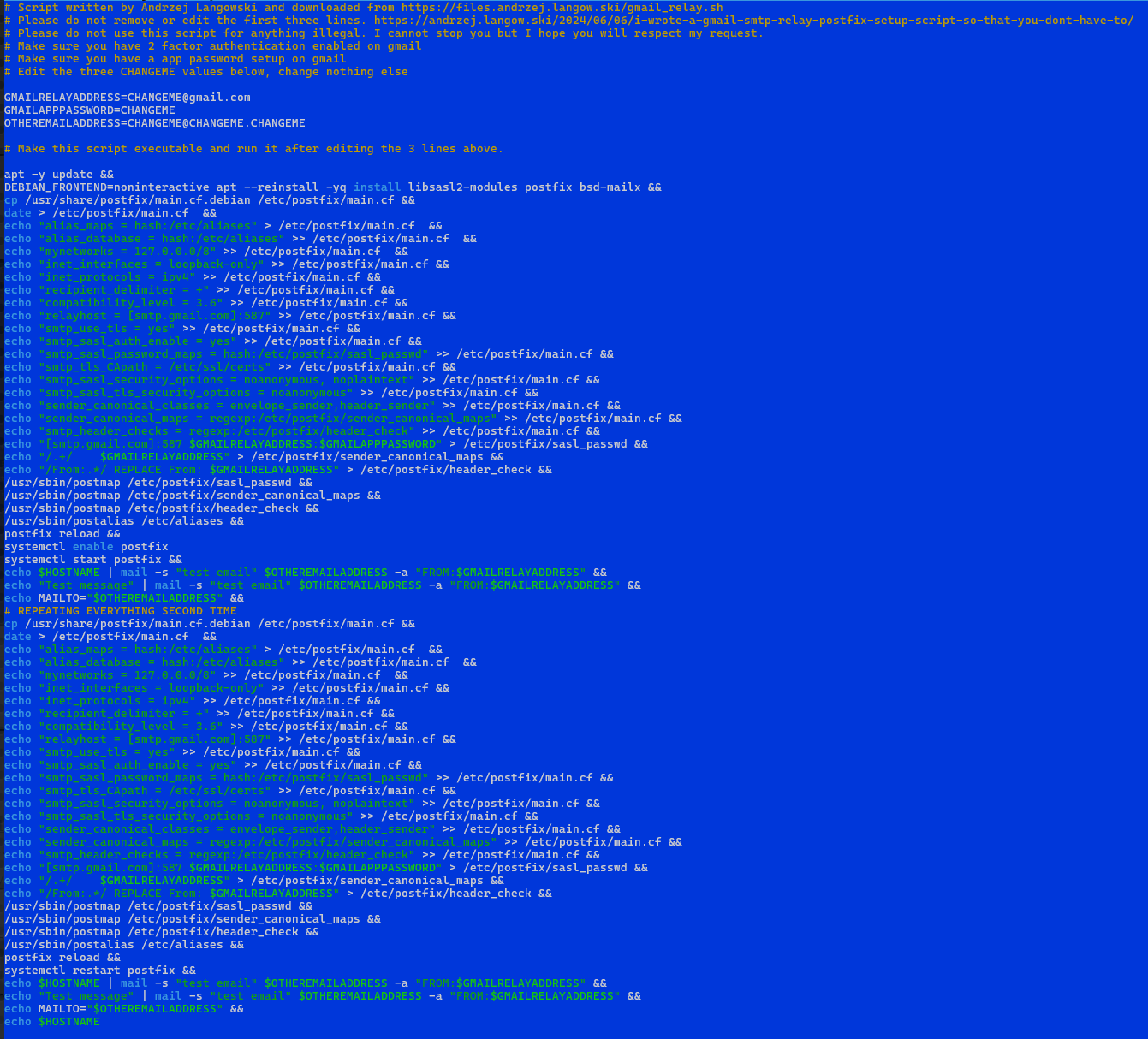
Make sure you perform all the necessary edits (lines 9, 10 and 11):

IMPORTANT: GMail App Password will be generated in a format of ABCD EFGH IJKL MNOP. 16 characters, space after each 4. You need to remove those spaces. The GMAILAPPPASSWORD=ABCDEFGHIJKLMNOP is what it should look like. No spaces.
IMPORTANT: OTHEREMAILADDRESS is used only to test the relay. It won’t be used anywhere in the configuration itself.
– Save the script
– Make sure gmail_relay.sh is executable
chmod +x ./gmail_relay.sh
– Run the script in the terminal as root.
sudo ./gmail_relay.sh
Here’s the code you’re downloading:
#!/bin/bash
# Script written by Andrzej Langowski and downloaded from https://files.andrzej.langow.ski/gmail_relay.sh
# Please do not remove or edit the first three lines. https://andrzej.langow.ski/2024/06/06/i-wrote-a-gmail-smtp-relay-postfix-setup-script-so-that-you-dont-have-to/
# Please do not use this script for anything illegal. I cannot stop you but I hope you will respect my request.
# Make sure you have 2 factor authentication enabled on gmail
# Make sure you have a app password setup on gmail
# Edit the three CHANGEME values below, change nothing else

GMAILRELAYADDRESS=CHANGEME@gmail.com
GMAILAPPPASSWORD=CHANGEME
OTHEREMAILADDRESS=CHANGEME@CHANGEME.CHANGEME

# Make this script executable and run it after editing the 3 lines above.

# Stop on the first error, treat unset variables as errors
set -eu
# Every file created by this script is private by default
umask 077

if [ "$(id -u)" -ne 0 ]; then
  echo "Run this script as root" >&2
  exit 1
fi

# Abort if the address values were not edited
case "$GMAILRELAYADDRESS" in
  CHANGEME*) echo "Edit GMAILRELAYADDRESS first" >&2; exit 1 ;;
esac
case "$OTHEREMAILADDRESS" in
  CHANGEME*) echo "Edit OTHEREMAILADDRESS first" >&2; exit 1 ;;
esac

# If the password was left as CHANGEME, ask for it silently so it is never stored in the script or shell history
if [ "$GMAILAPPPASSWORD" = "CHANGEME" ]; then
  read -r -s -p "Gmail app password: " GMAILAPPPASSWORD
  echo
fi
# Google shows app passwords in groups separated by spaces, remove them
GMAILAPPPASSWORD="${GMAILAPPPASSWORD// /}"
if [ -z "$GMAILAPPPASSWORD" ]; then
  echo "Empty password, aborting" >&2
  exit 1
fi

# Backup existing configuration (backups are private because they may contain the password)
BACKUP_DIR=/root/backup
TS=$(date +%Y-%m-%d_%H-%M-%S)
mkdir -p "$BACKUP_DIR"
chmod 700 "$BACKUP_DIR"
for f in /etc/postfix/main.cf /etc/postfix/sasl_passwd /etc/postfix/sasl_passwd.db \
         /etc/postfix/sender_canonical_maps /etc/postfix/header_check /etc/aliases; do
  if [ -f "$f" ]; then
    cp -p "$f" "$BACKUP_DIR/$(basename "$f").bak_$TS"
    chmod 600 "$BACKUP_DIR/$(basename "$f").bak_$TS"
  fi
done

apt-get update
DEBIAN_FRONTEND=noninteractive apt-get install -y -q libsasl2-modules postfix bsd-mailx

# Use the compatibility level of the installed Postfix version (major.minor)
COMPAT_LEVEL=$(postconf -d mail_version | awk '{split($3,v,"."); print v[1]"."v[2]}')

cat <<MAINCF > /etc/postfix/main.cf
# Generated: $(date)
alias_maps = hash:/etc/aliases
alias_database = hash:/etc/aliases
mynetworks = 127.0.0.0/8
inet_interfaces = loopback-only
inet_protocols = ipv4
recipient_delimiter = +
compatibility_level = $COMPAT_LEVEL
relayhost = [smtp.gmail.com]:587
smtp_tls_security_level = encrypt
smtp_sasl_auth_enable = yes
smtp_sasl_password_maps = hash:/etc/postfix/sasl_passwd
smtp_tls_CApath = /etc/ssl/certs
smtp_sasl_security_options = noanonymous, noplaintext
smtp_sasl_tls_security_options = noanonymous
sender_canonical_classes = envelope_sender,header_sender
sender_canonical_maps = regexp:/etc/postfix/sender_canonical_maps
smtp_header_checks = regexp:/etc/postfix/header_check
MAINCF
# main.cf must stay readable for mail tools run by normal users
chmod 644 /etc/postfix/main.cf

# Create the password file private from the very first byte, then fill it
install -m 600 /dev/null /etc/postfix/sasl_passwd
printf '%s\n' "[smtp.gmail.com]:587 $GMAILRELAYADDRESS:$GMAILAPPPASSWORD" > /etc/postfix/sasl_passwd
/usr/sbin/postmap hash:/etc/postfix/sasl_passwd
chmod 600 /etc/postfix/sasl_passwd /etc/postfix/sasl_passwd.db

# Regexp tables are read as plain text, no postmap needed
printf '%s\n' "/.+/ $GMAILRELAYADDRESS" > /etc/postfix/sender_canonical_maps
printf '%s\n' "/^From:.*/ REPLACE From: $GMAILRELAYADDRESS" > /etc/postfix/header_check
chmod 644 /etc/postfix/sender_canonical_maps /etc/postfix/header_check

# Keep existing aliases, create the file only if it is missing
if [ ! -f /etc/aliases ]; then
  printf 'postmaster: root\n' > /etc/aliases
  chmod 644 /etc/aliases
fi
/usr/sbin/postalias /etc/aliases

# Validate the configuration before restarting
postfix check
systemctl enable postfix
systemctl restart postfix

printf 'Test message from %s\n' "$(hostname)" | mail -s "test email" "$OTHEREMAILADDRESS" -a "FROM:$GMAILRELAYADDRESS"
echo MAILTO="$OTHEREMAILADDRESS"

# REPEATING EVERYTHING SECOND TIME
# (second pass is no longer needed, the config is written once and validated with postfix check)

# Show the queue so a stuck message is visible (no secrets in this output)
sleep 5
postqueue -p
echo $HOSTNAME
I hope this helps!
Catch you on the flip side,
AndrzejL