Hello beautiful peoples!

I copied my Kali Linux WSL2 ext4.vhdx file from my main PC to a new host. The idea was simple: keep the same environment, tools, and configurations on all my machines throughout the project.
If “Game of Thrones” ever taught me anything valuable, it was this: “Everything before the word ‘but’ is horse shit.“
Kali started without a hitch, BUT… Brave had other plans…
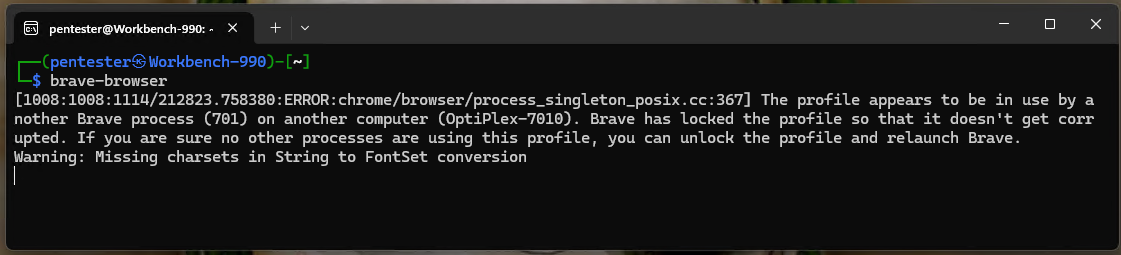

[1212:1212:1114/213348.356879:ERROR:chrome/browser/process_singleton_posix.cc:367] The profile appears to be in use by another Brave process (701) on another computer (OptiPlex-7010). Brave has locked the profile so that it doesn't get corrupted. If you are sure no other processes are using this profile, you can unlock the profile and relaunch Brave.
Warning: Missing charsets in String to FontSet conversion
OptiPlex-7010 was my source PC. The copied environment had brought an old Brave profile lock along for the ride.
The fix was simple: make sure Brave was fully closed, then remove the stale lock file (name and location threw me off at first…).
rm ~/.config/BraveSoftware/Brave-Browser/SingletonLockand restart the browser… That got rid of the profile-lock error. One file. Very dramatic, Brave.
brave-browser
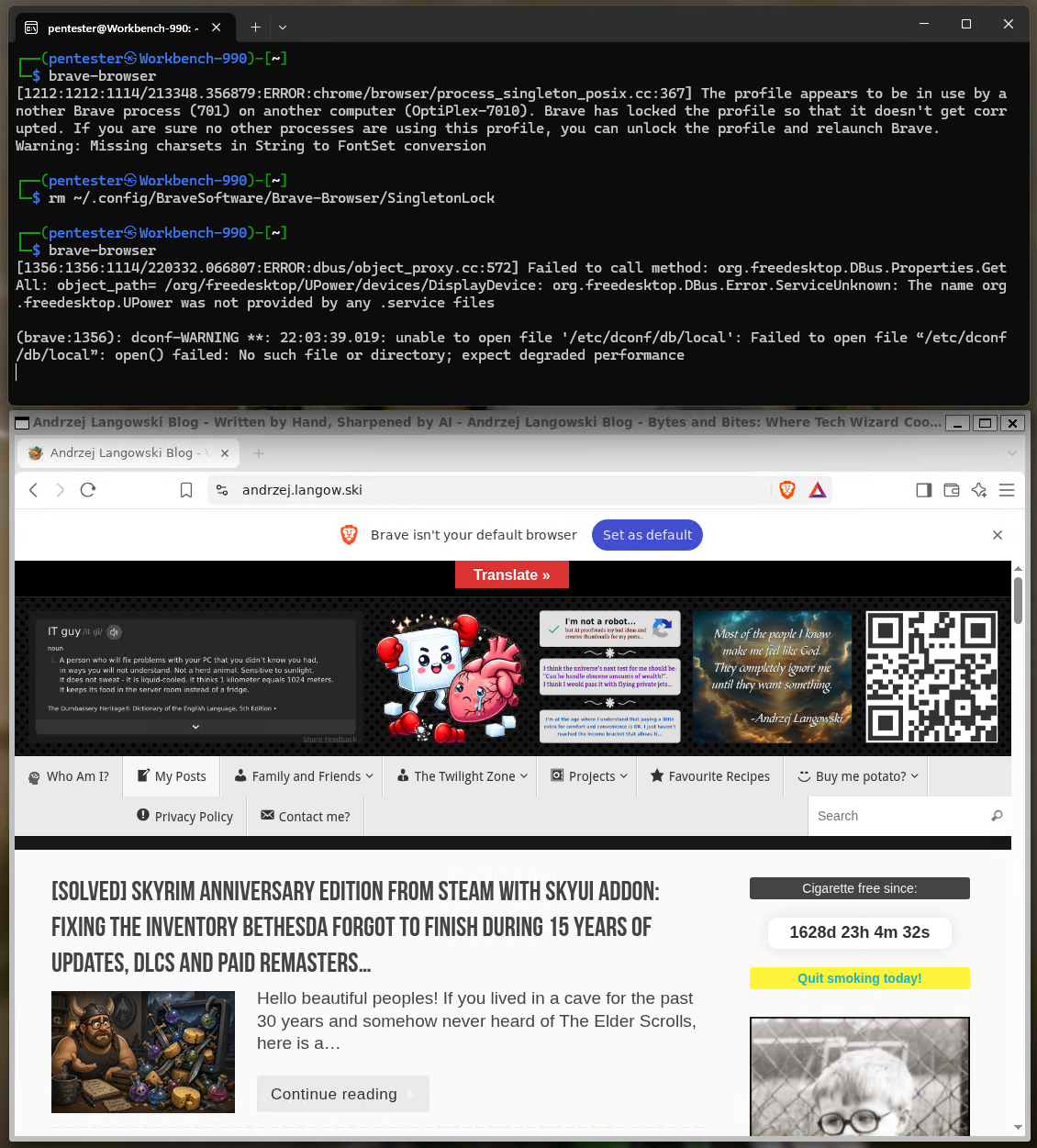
If removing SingletonLock does not resolve the same profile-lock error, there are two other related entries to check:
rm ~/.config/BraveSoftware/Brave-Browser/SingletonCookierm ~/.config/BraveSoftware/Brave-Browser/SingletonSocketRemove them, then try launching Brave again.
I only needed to remove SingletonLock. The other two are a fallback, not something I needed to delete on my machine.
Do not delete the whole Brave profile directory. You are removing a stale lock, not giving the browser lobotomy.
I hope this helps!
Thank you for your attention to this matter.
Catch you on the flip side,
AndrzejL