Hello beautiful peoples!
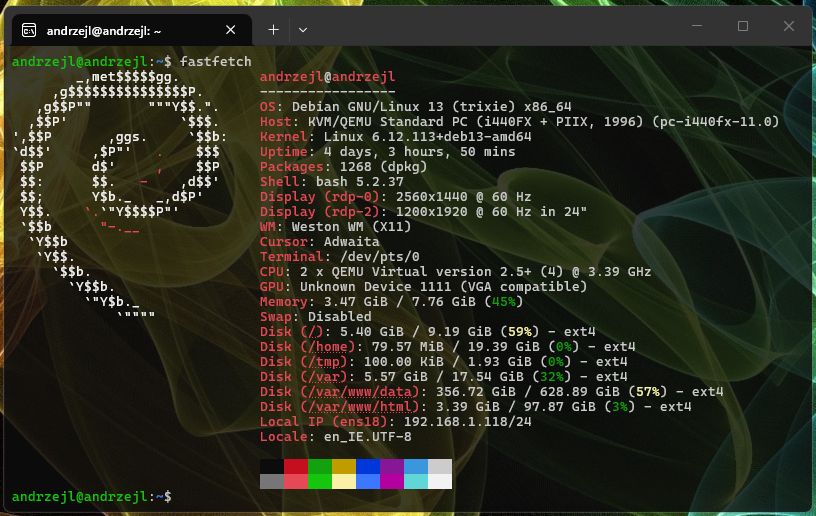
Neofetch is a small terminal tool for Linux. When you run neofetch, it shows your distribution logo along with basic system information, such as the operating system, kernel, shell, CPU, RAM, and installed packages. It is mainly used for a quick system overview and for showing off your terminal setup in screenshots.
Fastfetch does basically the same thing, but it is a newer, faster, and more feature-rich program. It displays more details about your hardware and system, is highly customizable, and is still actively developed.
Fastfetch replaces Neofetch. Neofetch is no longer maintained, while Fastfetch has taken over its role as the modern way to display system information in the terminal.
Just like in The Matrix, software in the real world needs a purpose, otherwise it faces deletion. Just ask Rama-Kandra, Kamala, and their daughter Sati. IYKYK.
Unfortunately, software gets abandoned and outdated all the time. Sometimes it breaks down. Sometimes a better program is created to replace it. In the end, its fate is often the same: deletion. Just ask the Keymaker about Agent Johnson’s very persuasive argument on top of that truck during the highway chase.
The same fate awaited Neofetch. It did not break down, but it stopped being maintained and became outdated. Fastfetch is the newer, faster, and better program that came to replace it.
The Keymaker went into exile. Neofetch went read-only. Fastfetch is the upgrade.

To install Fastfetch on Debian, first check whether it is available in the repositories. Run this command:
sudo apt updatesudo apt search fastfetchOnce you see it in the list of installable packages, run this:
sudo apt install -y fastfetch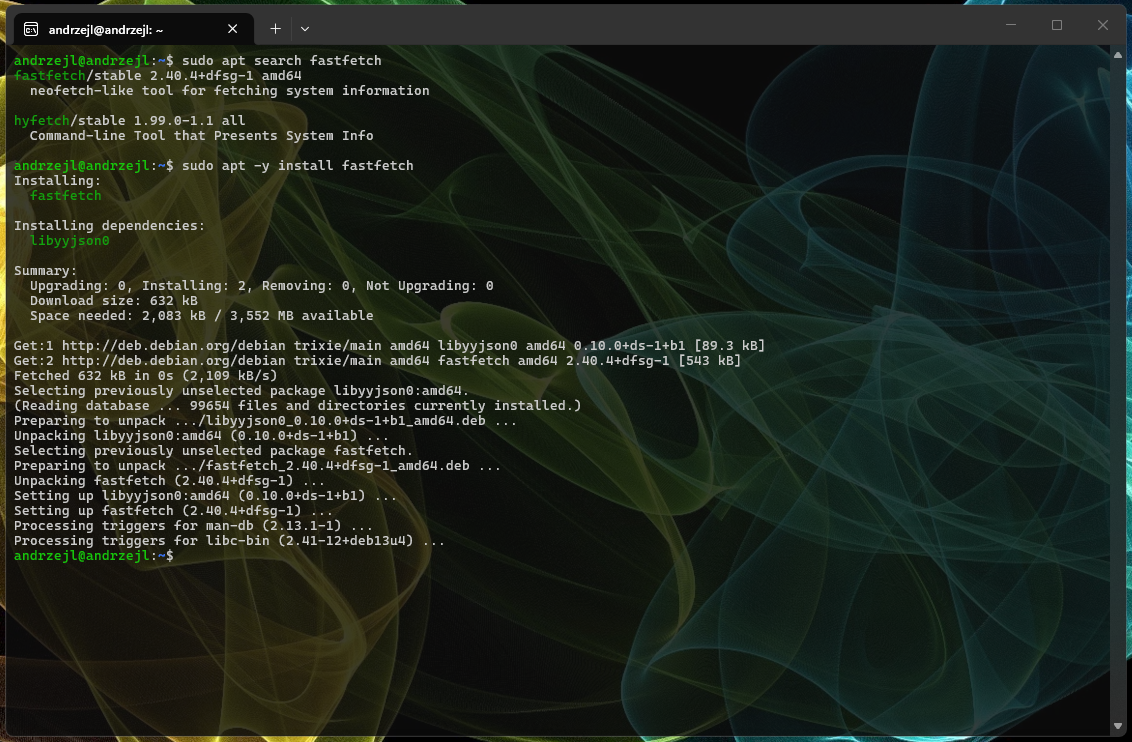
On Ubuntu, Fastfetch is not available in the official repositories. You need to do a bit of rekajiggering to get it installed, but it is only a few commands away.
sudo add-apt-repository -y ppa:zhangsongcui3371/fastfetchsudo apt updateapt policy fastfetchsudo apt install -y fastfetch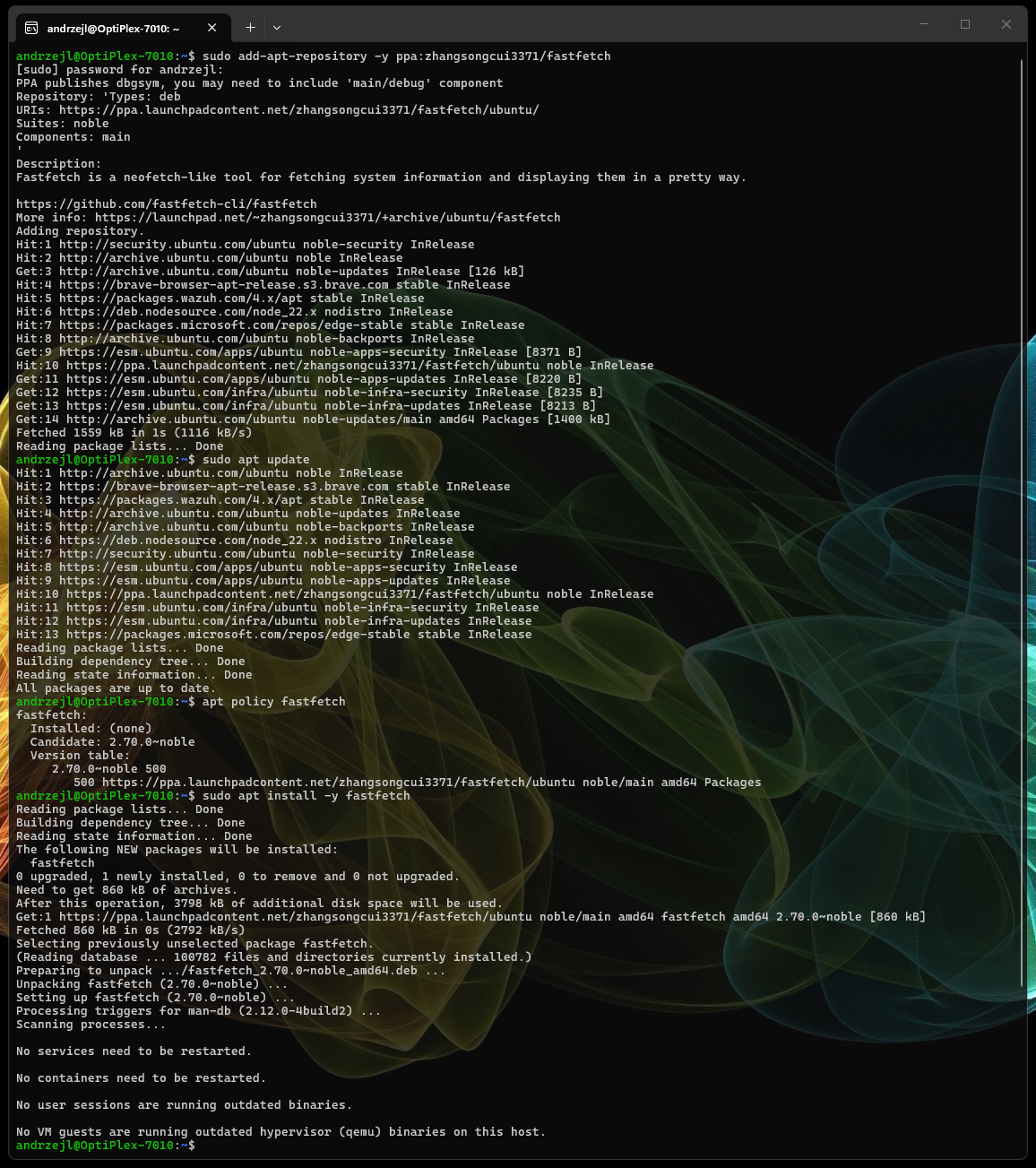
Once installed on a Linux distribution of your choice, just run:
fastfetch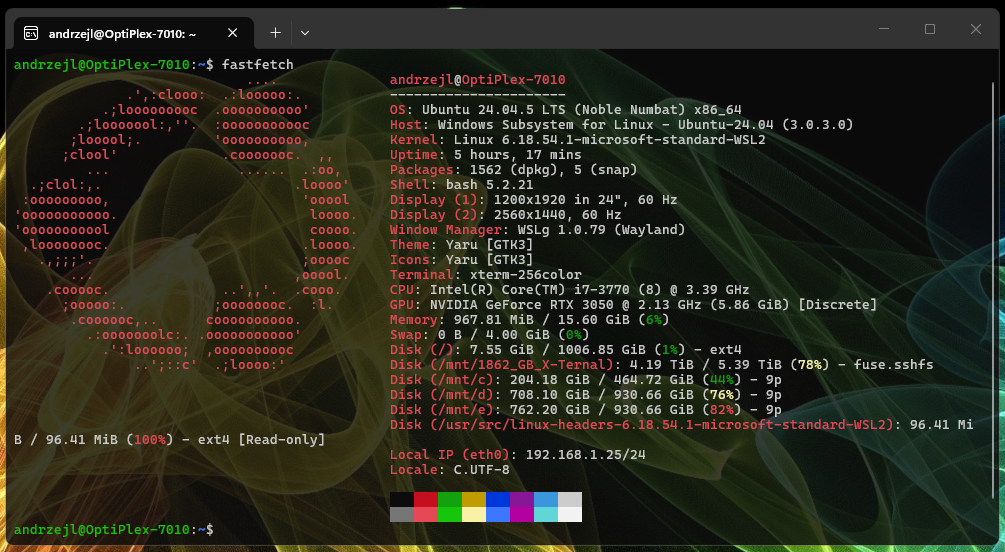
Now your ugly-ass Linux lolcat screenshots can get even busier with this command-line bullshit eye-candy trickery. 😁
Same system info, same nerd flex, just faster and prettier.
I hope this helps!
Catch you on the flip side,
AndrzejL