Hello beautiful peoples!

If you dual-boot Windows and Linux, you’ve probably noticed something annoying – every time you switch between them, your clock is off. Linux shows the right time, Windows doesn’t, or vice versa. And it’s not just dual-booting either. Even a quick PXE boot, a Live USB session with rescue environment is enough to mess up your system clock once you’re back in Windows. In my case Linux was showing the correct time, Windows was running 1 hour behind.
It’s not a bug. It’s a disagreement about how the OS reads the hardware clock.
Windows assumes the hardware clock is already set to your local time. Linux assumes it’s UTC and applies the timezone offset on top. So every time one of them boots, it “corrects” what the other one just set – and your clock ends up wrong.
And a wrong system time is more than just an inconvenience. HTTPS relies on SSL/TLS certificates, and those certificates have strict validity windows. If your clock is off by enough, your browser will reject perfectly valid certificates and refuse to log you in – or throw scary security warnings on sites you visit every day. On top of that, some sites and services will flat out deny your login if your local time doesn’t match their server’s time closely enough. Banking portals, work VPNs, two-factor authentication flows – all of it can break just because your clock got shifted by booting into a Linux session.
You can fix it by telling Windows to play by Linux’s rules and store UTC in the hardware clock:
Why I prefer to fix it on the Windows side? You could technically apply the fix on the Linux instead – telling Linux to use local time rather than UTC. But think about it for a second. How many Linux environments do you actually boot into? Your main distro, sure. But then there’s Clonezilla when you need to back up a drive, GParted when you need to resize a partition, a recovery Live USB when something goes wrong. Every single one of those would need the same fix applied individually – and most of the time you’re booting them precisely because something is already broken. Fixing it on the Windows side is a one-time, one-liner change. After that, it doesn’t matter what you boot – Ubuntu, Arch, Clonezilla, GParted, a random rescue ISO you downloaded at 2am. Windows will handle its own time correctly regardless, and you never have to think about it again.
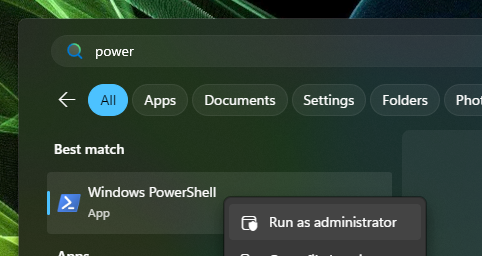
Run this in CMD or PowerShell as Administrator, then restart your PC. Windows will now read the hardware clock as UTC and handle the timezone offset itself – exactly like Linux does.
reg add "HKEY_LOCAL_MACHINE\System\CurrentControlSet\Control\TimeZoneInformation" /v RealTimeIsUniversal /t REG_DWORD /d 1 /f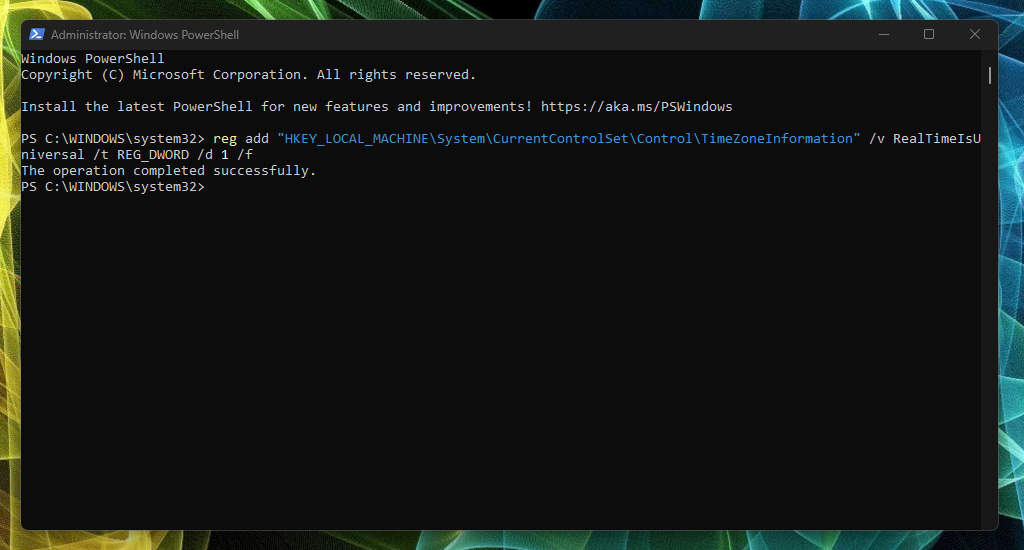
I hope this helps!
Catch you on the flip side,
AndrzejL