Hello beautiful peoples!

It started, as these things usually do, with something completely unrelated to security.
I’ve got an old Dell OptiPlex 7010 SFF (and several other older OptiPlex machines) running Windows 11 Pro – unofficially, since it’s well outside the “supported” hardware list. Windows 11 runs fine on it day to day, but there’s a boo boo: the built-in Realtek sound card does not play well with the Realtek driver. Instead it works “better” with a generic Microsoft HD Audio driver, which turns out to be noticeably worse at handling PC sleep. Once every blue moon, after the machine wakes up, the audio device looks perfectly healthy – enabled in Device Manager, no yellow triangle, nothing in the event logs – but internally it just doesn’t work. Not even a peep. Dead silence, with zero evidence anywhere that anything went wrong.
I was attempting to fix it with a PowerShell script, triggered by Task Scheduler on every wake, that would force-reset the audio device and codec before I even noticed the silence. Standard home-lab duct tape approach. Not good but good enough…
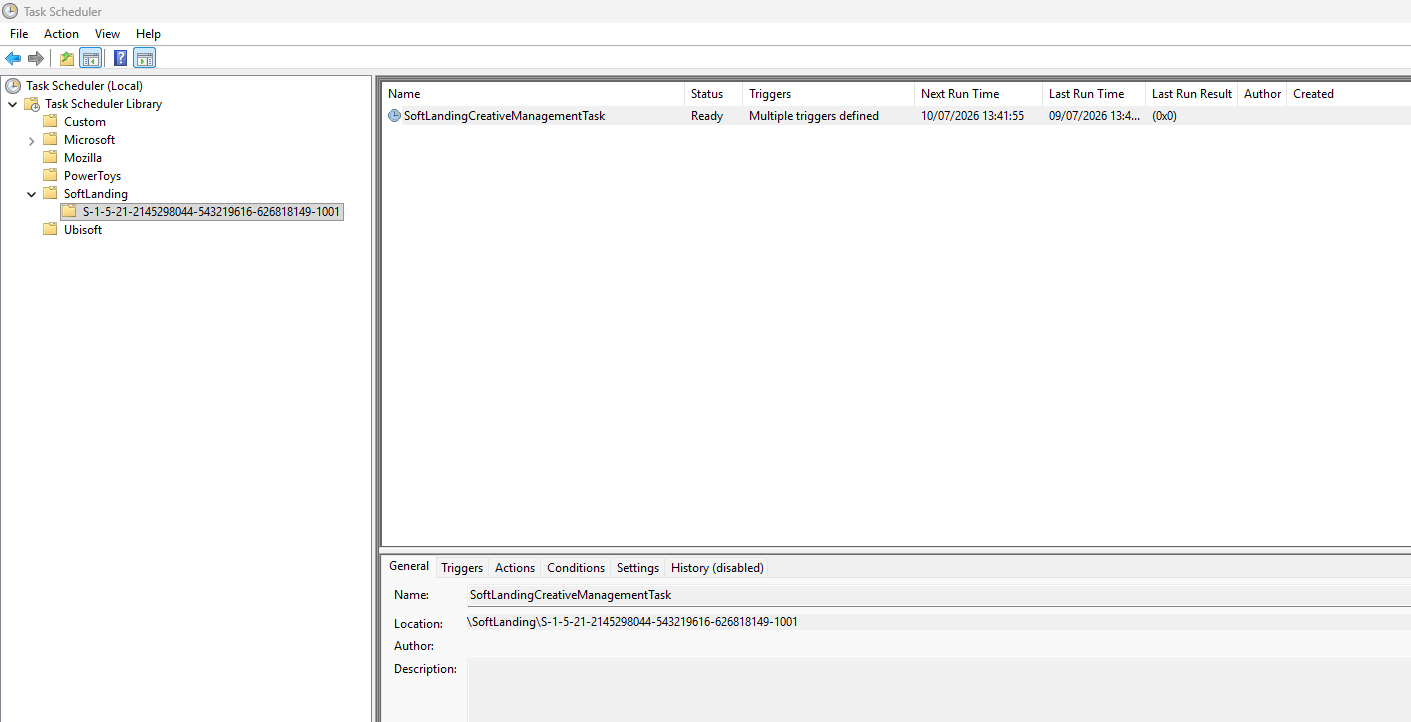
While I was in Task Scheduler setting this up, I noticed something I don’t believe I’ve seen there before – a top-level folder called SoftLanding, sitting right next to the usual Microsoft and third-party folders. Inside it, a single task: SoftLandingCreativeManagementTask. No author, no description, a set of triggers I didn’t recognize, and it had clearly already run – recently, and successfully.
That’s the kind of thing that makes you stop thinking about your sound card… So of course I put the sound card problem on a backburner and I jumped down the rabbit hole… A side quest which took me good few hours spread over 2 lovely days of increasingly thorough digging – scheduled task exports, registry checks, Wazuh agent logs, UserAssist parsing, Prefetch analysis, Defender history, WMI persistence checks etc… And the early signals were genuinely alarming:
• The task lived in its own custom top-level folder, not under the standard Microsoft namespace like every other built-in Windows task on the system
• Its action was a COM handler pointing at a class ID, with no visible executable path anywhere in the task definition – no obvious way to tell what it actually ran.
• That class ID did not exist anywhere in the registry – not under the current user’s classes, not under the machine-wide classes, in neither the 32-bit nor the 64-bit view.
• On top of two ordinary time-based triggers, it also had something called a WNF state-change trigger – an obscure, largely undocumented Windows notification mechanism that has occasionally shown up in stealthier, “fileless” persistence techniques.
• And then the part that really raised the stakes: it wasn’t just on this one machine. It showed up on every single Windows 11 box in the house – five for five, including one that gets switched on maybe twice a month and my wife’s laptop, which nobody had been “experimenting” on.
Looked like a malware to me… Scheduled task to survive a reboot. A persistence method… calling a COM class that used to point at a dropped payload – a payload that had since been removed by an AV engine or some cleanup, leaving an orphaned, harmless-looking carcass behind. FML… Was I pwned? What did they siphoned?
Instead of trusting what the scheduled task claimed to point at, I grabbed Claude (Sonnet 5 Max Effort / Thinking free version) and we went looking for the actual file behind it, on disk, across every drive on all the machines.
It turned up in exactly two places:
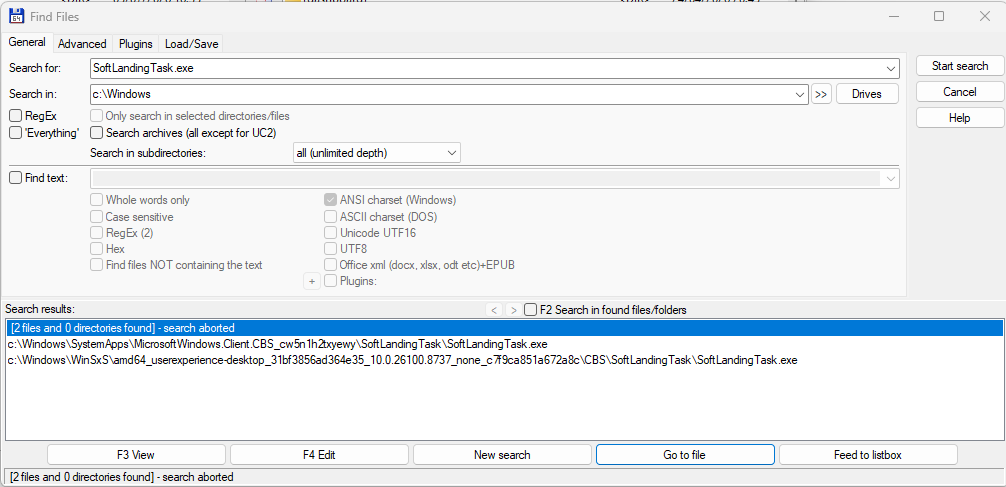
"C:\Windows\WinSxS\amd64_userexperience-desktop_31bf3856ad364e35_10.0.26100.8737_none_c7f9ca851a672a8c\CBS\SoftLandingTask\SoftLandingTask.exe""C:\Windows\SystemApps\MicrosoftWindows.Client.CBS_cw5n1h2txyewy\SoftLandingTask\SoftLandingTask.exe"That location… WinSxS is the Windows component store, populated exclusively by Windows Update and the OS’s own servicing stack. SystemApps hosts Microsoft’s in-box packaged system apps. Nothing a third-party installer drops onto a system – legitimate, shady, or outright malicious – can write into either of those locations. Doing so requires TrustedInstaller-level access, which belongs to Windows servicing itself, not to a program running as Administrator.
Two more checks closed the loop completely:
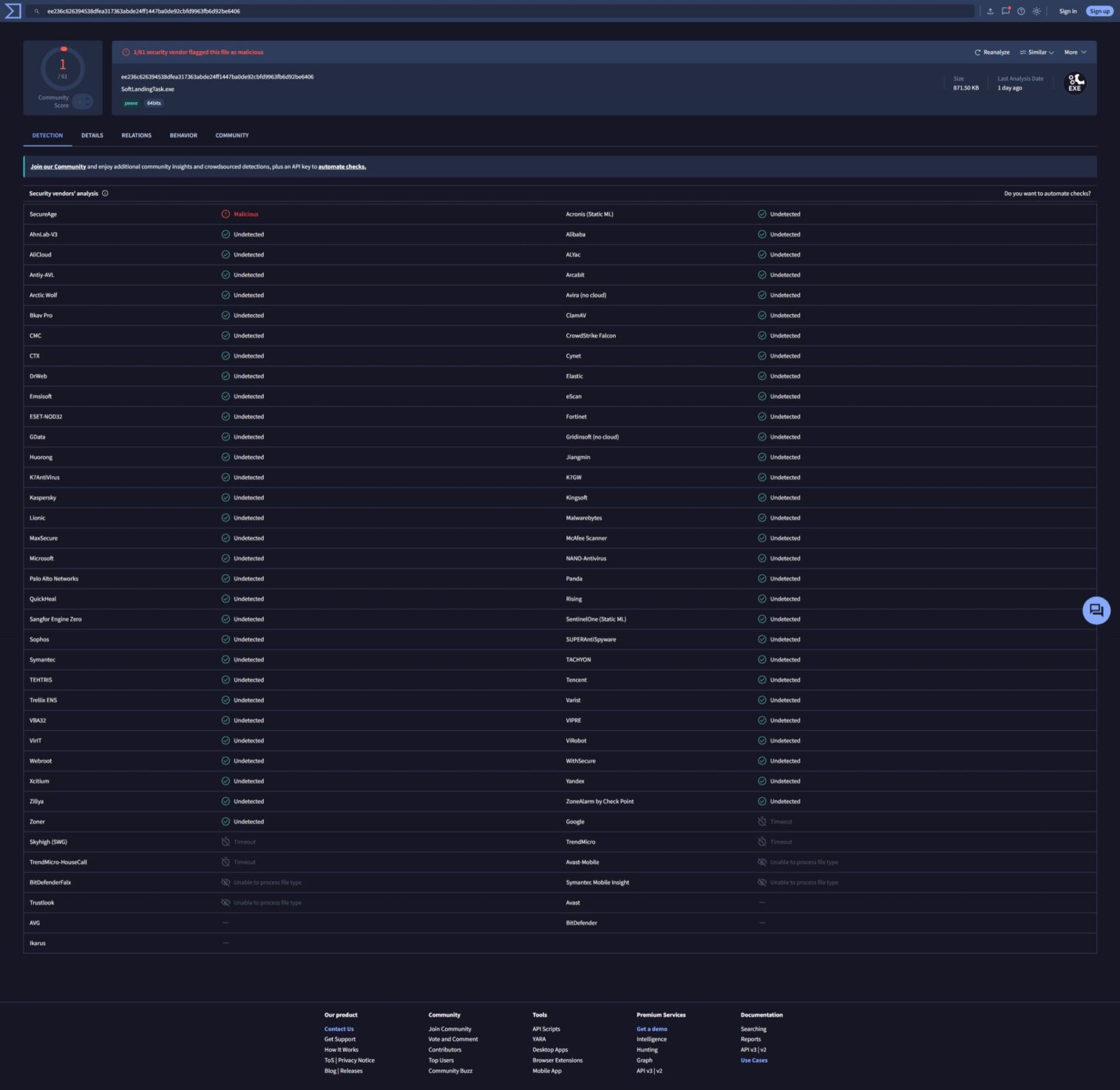
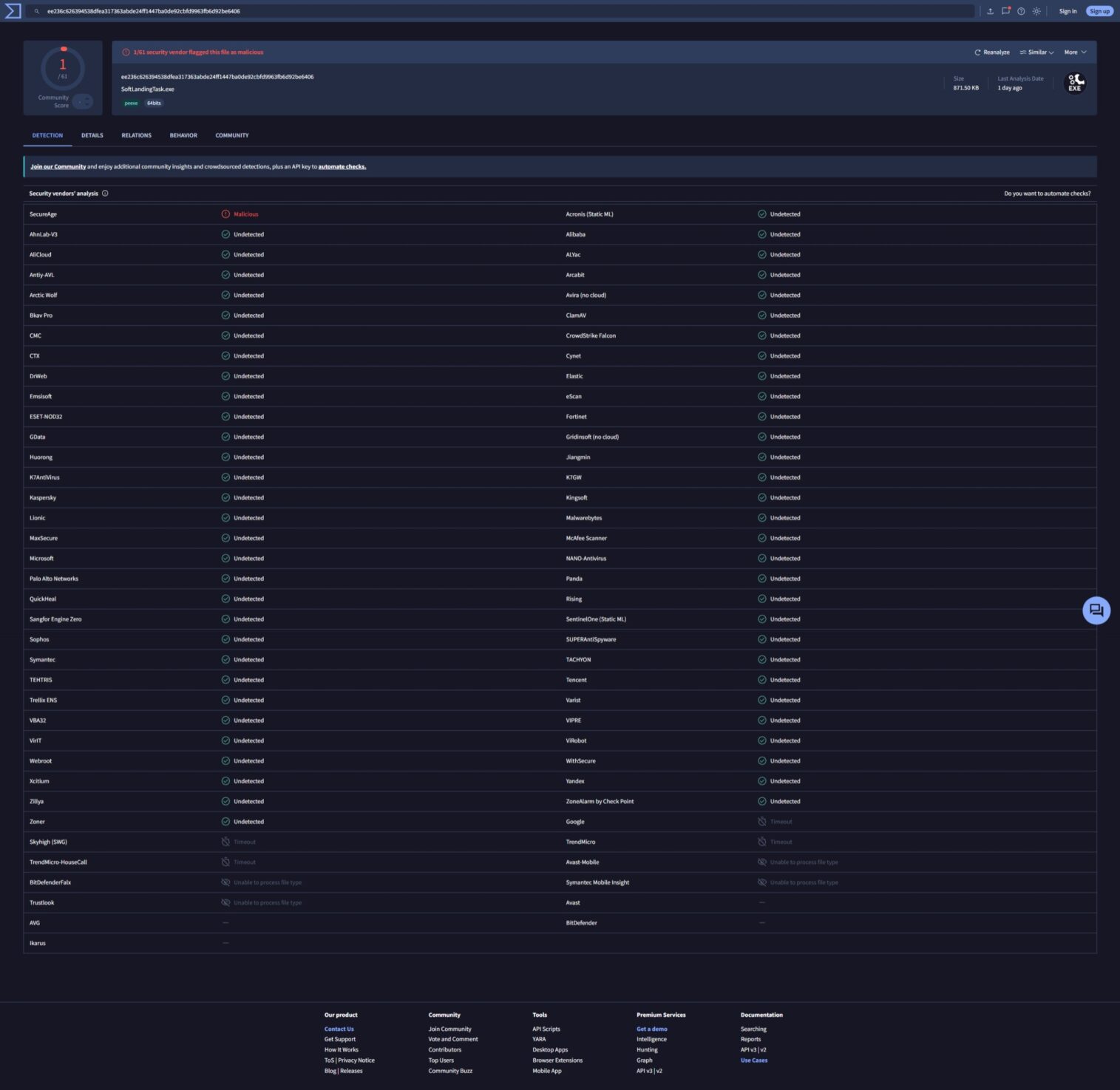
• VirusTotal on both of the file’s hashes: 1 out of 61 engines flagged it. A false positive on an obscure file, while the other 60, including every major AV engine, saw nothing.
• Get-AppxPackage on the parent package: SignatureKind: System, Publisher: Microsoft Corporation, Status: Ok. System is the highest trust tier Windows has, reserved for core OS components – above even Microsoft Store apps. It isn’t something that can be forged from outside the OS.
A file physically located in servicing-only storage, a near-unanimous clean bill from VirusTotal, and a package signed at the highest internal Microsoft trust level – that combination is about as close to a definitive answer as forensics gets without literally being a Microsoft engineer.
That part turned out to be a false alarm baked into how we were checking it, not a sign of anything sinister. Modern packaged Windows apps (MSIX/UWP – and this one qualifies) don’t register their COM classes the classic way, under HKEY_CLASSES_ROOT\CLSID{…}. They use a separate mechanism called PackagedCom, registered under HKEY_CLASSES_ROOT\PackagedCom\Package instead. Check the classic location for a packaged app’s CLSID and you will always come up empty – not because the registration is missing, but because you were never going to find it there. That single blind spot was enough to make a completely legitimate, if obscure and badly documented, Windows 11 feature look exactly like the aftermath of a cleaned-up infection.
The number that actually caused the panic wasn’t a SID at all – it was a CLSID, the COM Class ID the task’s action pointed at. (The SID in that path, S-1-5-21-2145298044-543219616-626818149-1001, is just my own user account identifier – every per-user Task Scheduler entry on any Windows box has one of those, nothing to see there.) The CLSID was the actual troublemaker: it came back completely unregistered in every classic registry location I checked. That’s what looked exactly like an orphaned malware husk, and that’s what PackagedCom ended up explaining away.
SoftLandingTask.exe, it turns out, is tied to Windows 11’s Content Delivery Manager – the same subsystem behind post-update tips and onboarding prompts. It’s just new enough, and undocumented enough, that when I searched for any clues about this scheduled task – a fair number of people online have had the exact same panic, independently, on their own machines… which did not help to calm my nerves… 🙄
So I almost shite me pants… but thank cat – it turned out to be a false alarm…
The sound card still sometimes cuts out after sleep. Great…
I hope this helps!
Catch you on the flip side,
AndrzejL